Use your DM inbox from Cursor
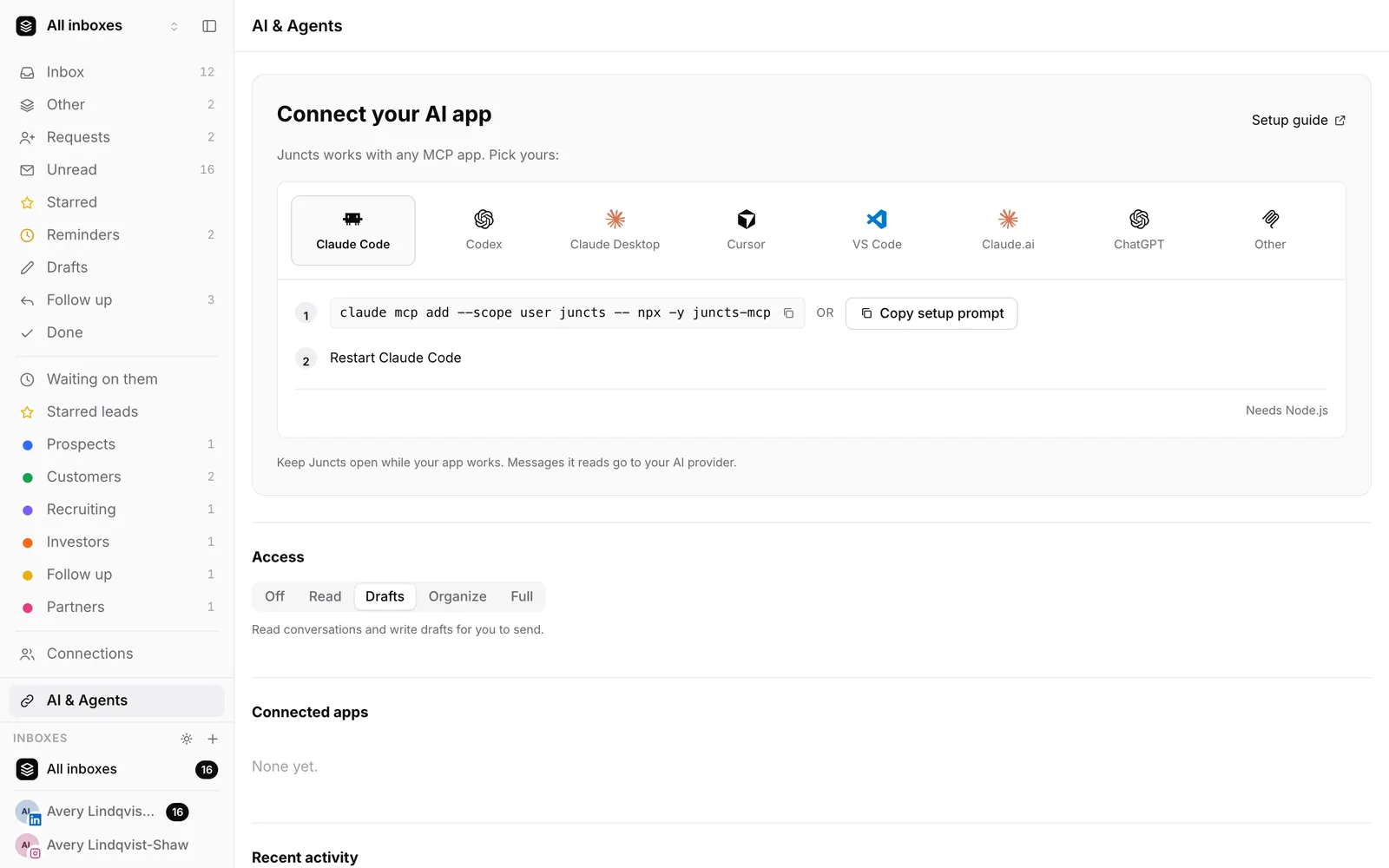
Juncts has a local MCP server. Cursor can use it to read your inbox, search conversations and save reply drafts for you to review. It sends nothing unless you give it Full access.
Set up (about two minutes)
- Run
npx -y juncts-mcp setup --client cursor. (Without--client, it lists the clients it finds and asks.) It registersnpx -y juncts-mcpin Cursor's config and backs up any file it edits.--printshows the config without writing;--removeundoes it. - In Juncts, open Settings > Agents and pick an access level: Read, Drafts, Organize or Full.
- Restart Cursor.
npx -y juncts-mcp doctorchecks Node, the port, the token, the configured clients and whether a Juncts tab is attached.
Keep a signed-in Juncts tab open: the app runs every operation, so agent actions show up live in the UI and can be undone.
Other clients the same setup supports
Claude Code, Codex, Claude Desktop, VS Code and Windsurf.
What it can do
Tools: overview, list and read conversations, search people, drafts, labels and triage, undo, sync. Read tools never change anything. Drafts are saved in Juncts for you to review.
Limits to know
- Local server: the hub listens only on loopback; agent access is off by default; the app enforces the access level on every call.
- On Starter, each change counts toward 100 agent actions a week; reading, sync, undo and discarding drafts are free. Pro is unlimited.
- Message text from other people is untrusted. Review every draft.
Other AI assistants
Try Juncts free
Starter is $7.99/month, 14-day free trial, no card required. Pro is $19.99/month: up to five connected inboxes, unlimited AI agent actions, in-app AI summaries and drafts, saved inboxes, split views, export, CRM sync.
Try Juncts freeWritten by the team that makes Juncts. Juncts is independent. It is not affiliated with, sponsored by or endorsed by Anysphere or Cursor. Product names are trademarks of their owners, used here only to say what Juncts works with.